 TaskChef
I often have several Codex chats running across projects. A feature can be taking shape in one chat while another investigates a bug. When a chat finishes, there is a result to review, a question to answer, or a PR to merge.
The sidebar makes it easy to open a chat. I wanted a clearer view of the work across all of them.
TaskChef is a dashboard plugin that lives in the Codex sidebar. It brings your chats into a board, so you can see what is scheduled, what is running, and what is waiting for your attention.
Keep every project in view
AI has made it easier to work on several projects at once. Keeping track of that work still takes attention. A chat can finish while you are focused elsewhere, and the next step might be yours.
TaskChef shows that progress in columns:
- Scheduled holds chats waiting for their next run.
- Running shows the chats Codex is working on.
- Waiting for review brings finished work and questions to your attention.
- Done holds work whose latest PRs are merged, or finished chats you have marked Done.
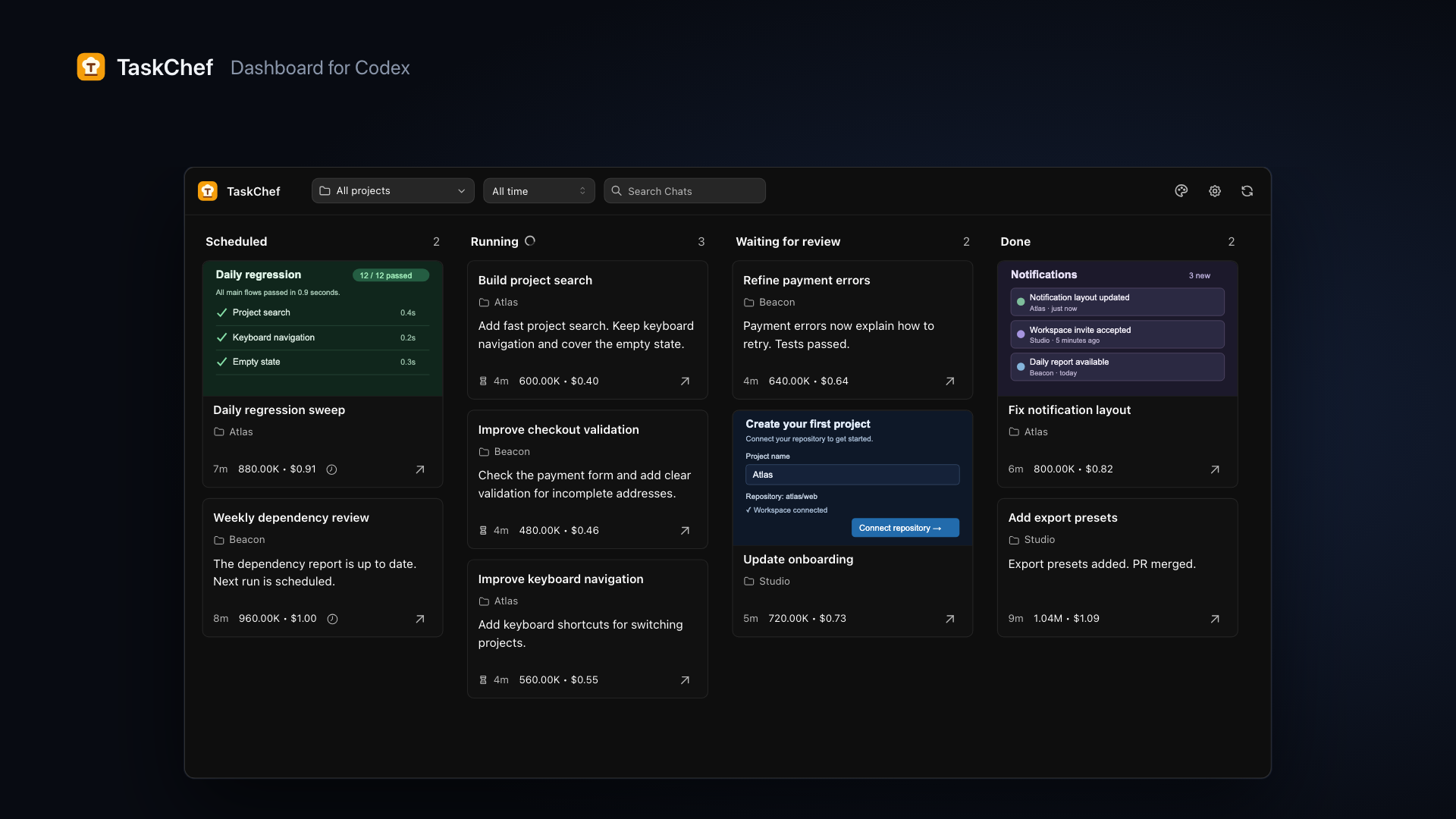
When a job finishes, its card moves from Running to Waiting for review. You can open it to read the request and result, then jump into the actual Codex chat to respond or continue.
Follow the work through review
Finishing a turn is a handoff. You might need to check the result or review the implementation before merging its PR.
With GitHub connected, TaskChef shows live PR and CI status. When the PRs from the latest completed turn are merged, the board can move that chat to Done automatically. Grant access in each GitHub organization you use so TaskChef can read the relevant repositories.
For finished work without a PR, you can mark the chat Done yourself. You can also archive a chat in Codex when you want to put it away.
Know what each chat uses
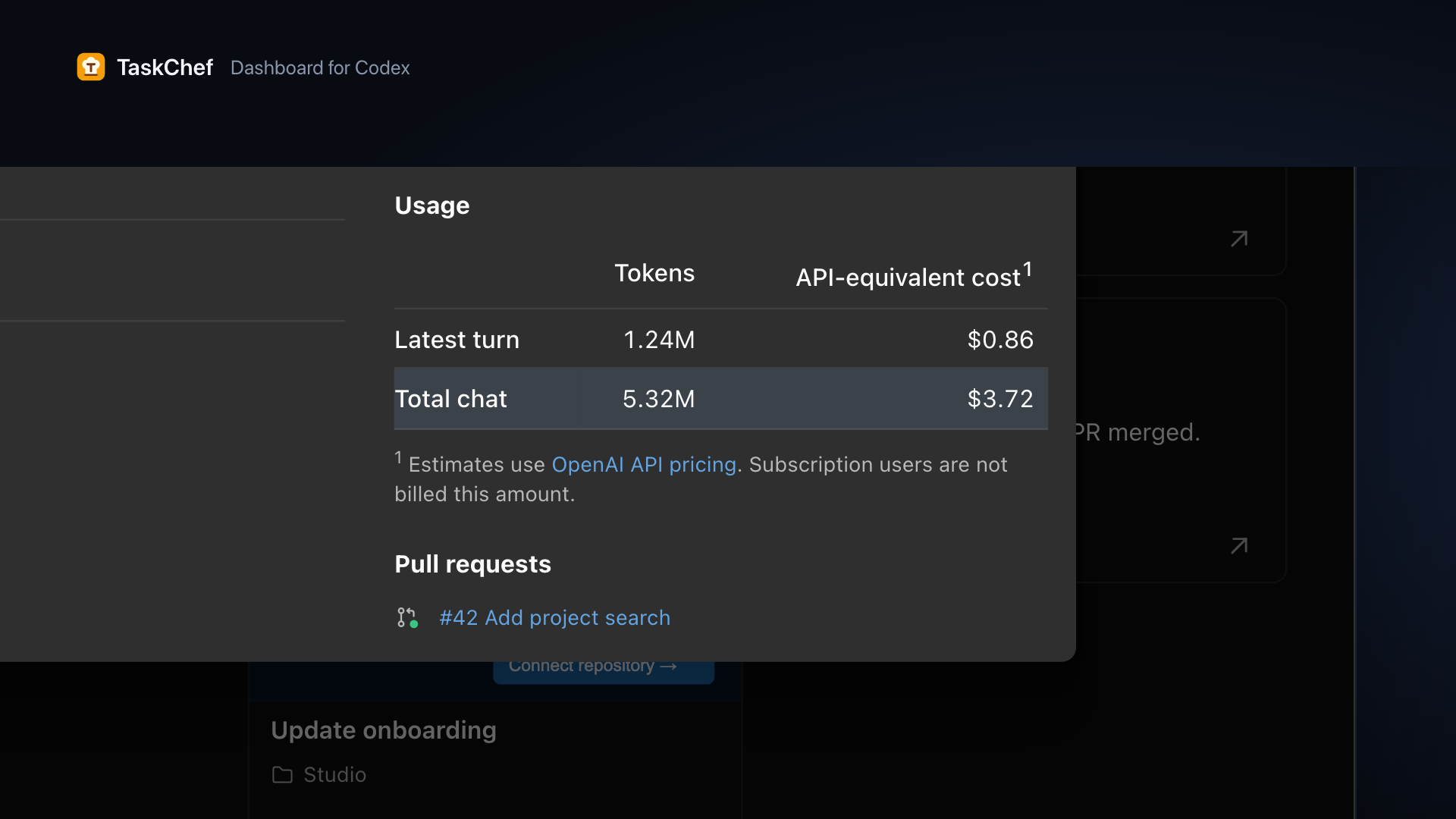
A long conversation can contain several rounds of work. TaskChef shows usage for the latest turn and the whole chat, so you can see how much that last round contributed.
The usage panel includes token counts and an estimated API-equivalent cost. That cost is a comparison based on recorded usage, not a charge against a Codex subscription.
Focus on one project
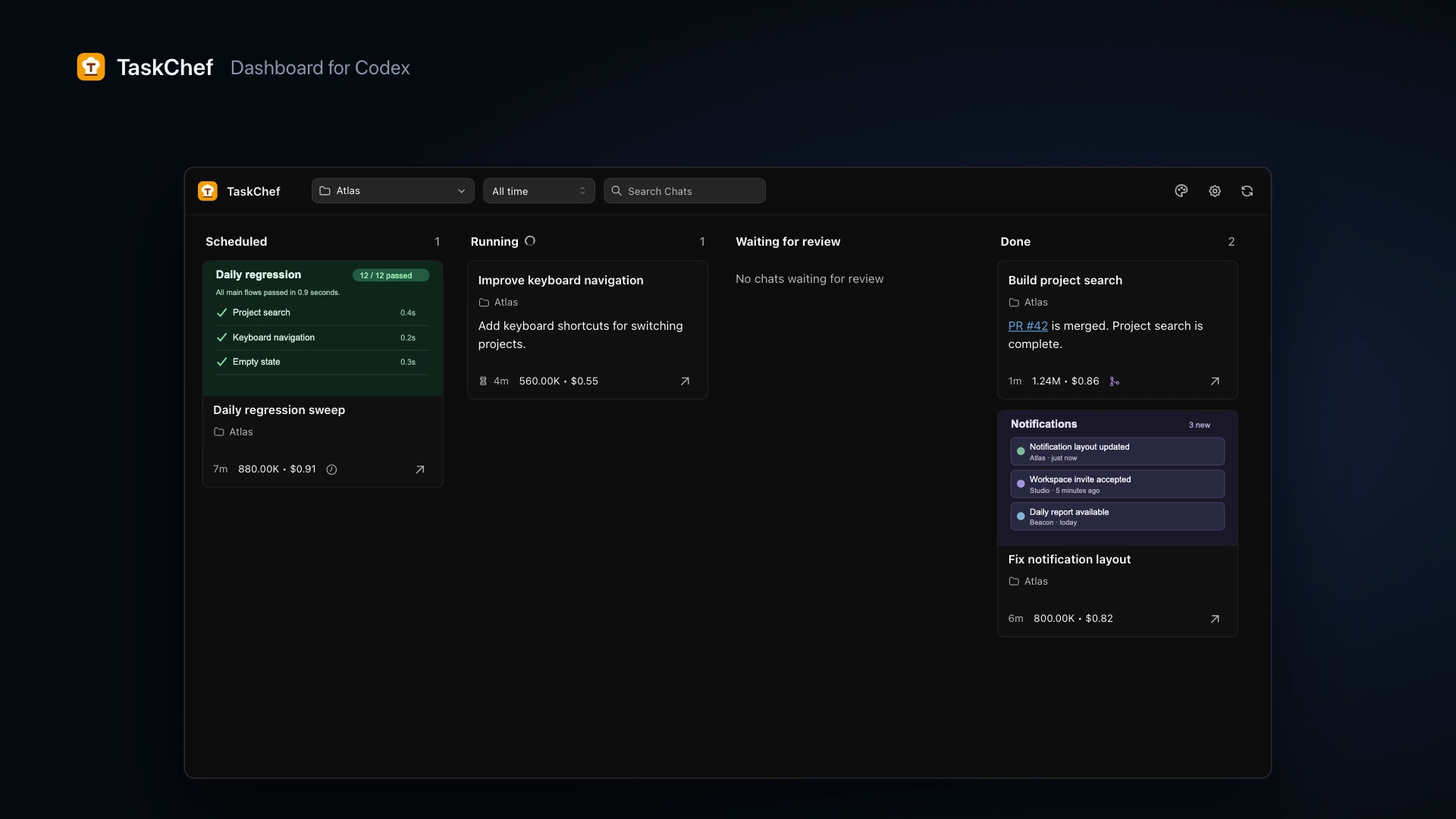
The full board helps you keep an eye on everything. When you need to focus, select a project to see only its chats.
You can open a chat from its card or from Details. The floating composer at the bottom right lets you start more work while keeping the board in view.
Try TaskChef
Install the plugin, open the … menu below Plugins in Codex’s left dock, and find TaskChef. Pin it to keep the board within reach.
The Get started guide walks through installation and GitHub access. The FAQ covers usage estimates and how finished work reaches Done.
If something does not work, or you have a workflow you would like the board to support, open a GitHub issue. I would like to hear how you use it across your projects.